how to upgrade old 16G iphone 6S 6S memory storage to 128G on hardware, Remove and Change the damaged or error 16G HDD on iphone 6S 6SP, can repair
universal error: can't turn on the phone, wifi can't be used. other
emerging Bluetooth can not be used. From vipprogrammer.com
We sell iphone 6S 6SP 64G 128G, you need tell us the SN number, then we will write the 6S 6SP HDD, the all functions will be okay, expand 6S 6SP NAND Flash Memory to 64G /128G.
Expand your iPhone 6S 6SP nand flash memory storage to 64G / 128G HDD
Note: new 6S 6SP hard-disk test fixture and programmer will be released at recently, just check our website news.
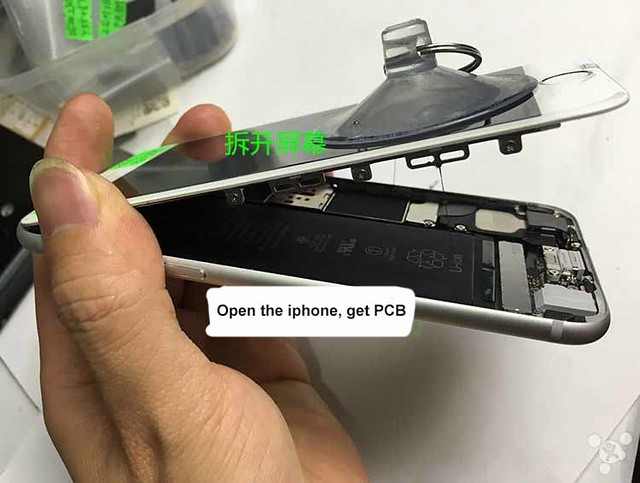
Step 1: Open the iphone case, Get motherboard.
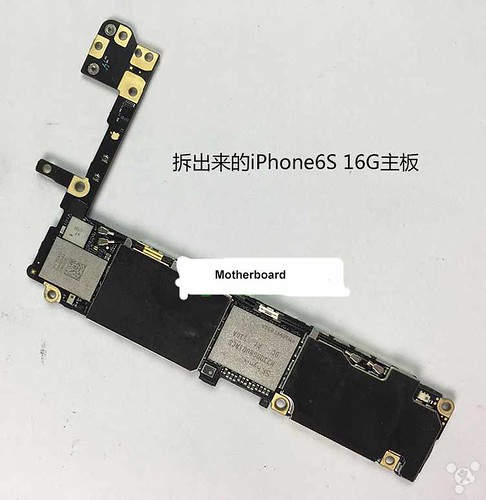
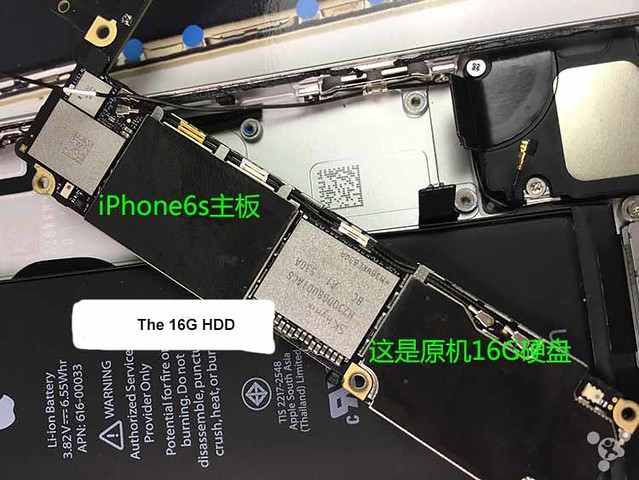
Step 2: Remove Old 16G or damaged HDD on motherboard
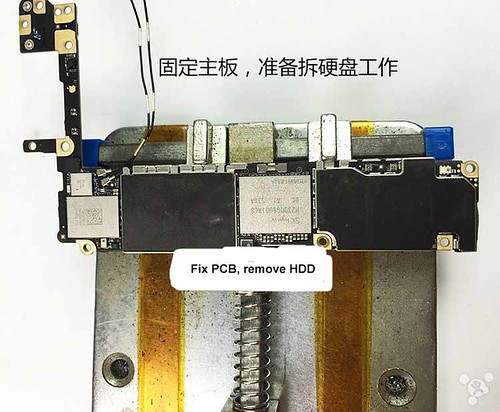
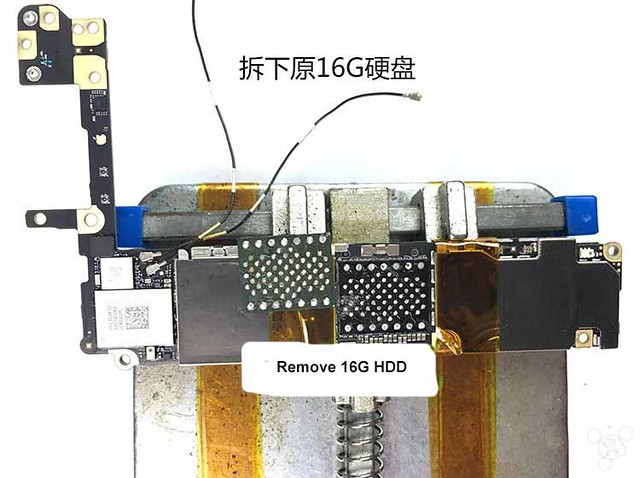
Step 3: Prepared 128G HDD (underlying data and right SN have be pre-writed)
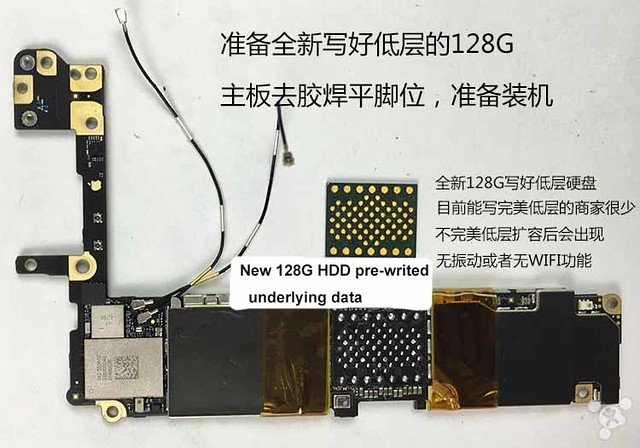
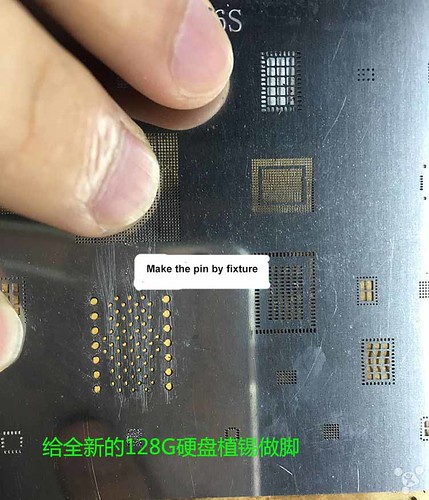
Step 4: Fix the HDD correctly, Pls test the voltage firstly, Then, Re-root
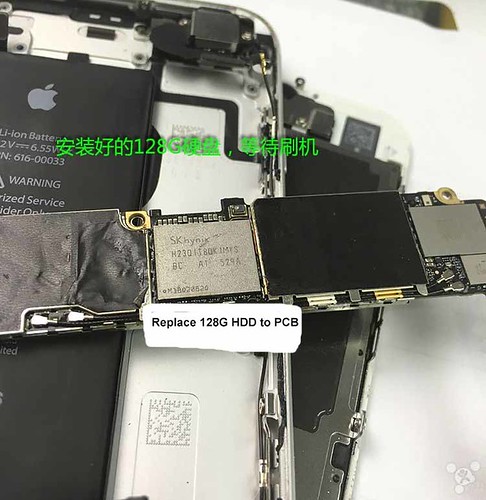
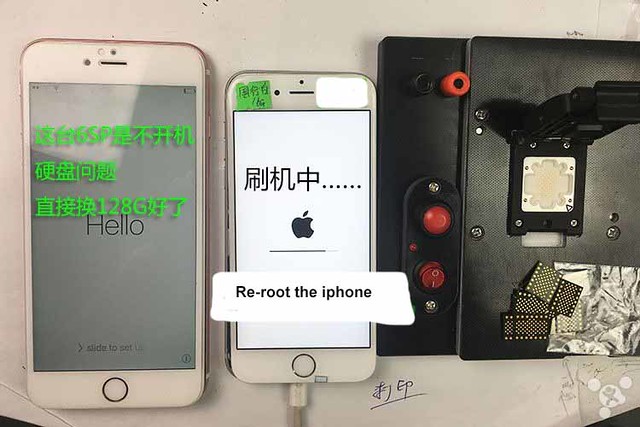
Step 5: Expand your iPhone 6S /6SP to 128G
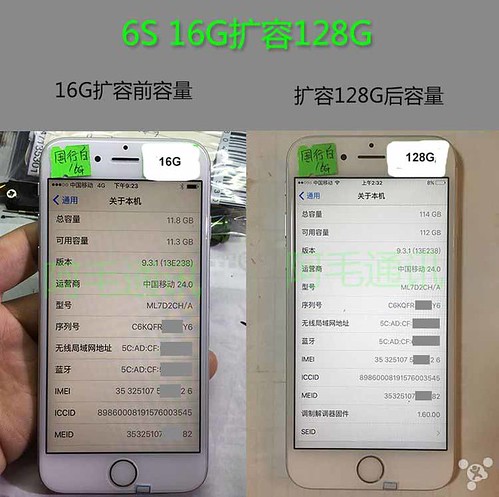
We sell iphone 6S 6SP 64G 128G, you need tell us the SN number, then we will write the 6S 6SP HDD, the all functions will be okay, expand 6S 6SP NAND Flash Memory to 64G /128G.
Expand your iPhone 6S 6SP nand flash memory storage to 64G / 128G HDD
Note: new 6S 6SP hard-disk test fixture and programmer will be released at recently, just check our website news.
Step 1: Open the iphone case, Get motherboard.
Step 2: Remove Old 16G or damaged HDD on motherboard
Step 3: Prepared 128G HDD (underlying data and right SN have be pre-writed)
Step 4: Fix the HDD correctly, Pls test the voltage firstly, Then, Re-root
Step 5: Expand your iPhone 6S /6SP to 128G
Comments
Post a Comment