Can you always remember your password? What should you do when there is a red exclamation error on your Apple watch after update you iWatch?6 IN 1 AWRT iBus Tools, a professional Apple Watch recovery tool, enables you to unlock, repair and remove the exclamation error easily.
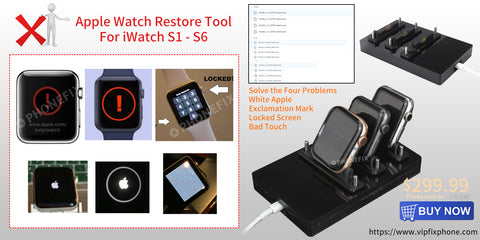
Why choose the AWRT iBus tool?
Perhaps you would tell me Apple support team can solve the trouble. While they may help, you may not be patient enough because you want your watch fixed immediately. Moreover, you don't have to wait for too long for them to help you solve the issues.
1. This incredible device has an inbuilt original restore adapter for the apple watch of the series S1, S2, S3, S4, S5, and S6 42 mm and 38 mm /$199.
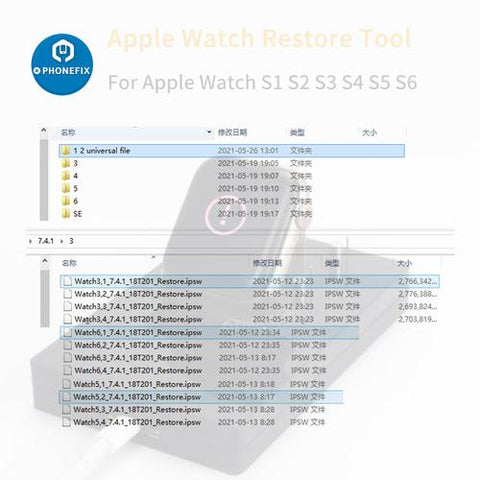
There are also S1-just 38MM /$39.99, Adapter for S1-42mm 38mm /$139.99, or Adapter for S2 S3 - 42mm 38mm /$169.99 version for choosing. The tool requires professional Apple Watch Firmware IPSW File for iWatch S1-S6.
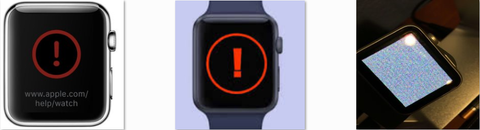
2. Moreover, the iBus tool has a lot of extra function beside restoring. It can be used for a long time and solve various problems, such as Apple Watch's lousy touch, White Apple logos, get stuck on screen, restore, exclamation point, and many other failures as well.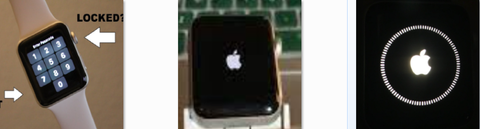
3. It is easy to use and you can restore your watch within few minutes on your own. Fortunately, the manual guide will help you the entire restoration or repair process step by step.
4. It supports Downgrade and upgrade firmware. The item can work with MFC Dongle software using Windows (Not Free). This is an add-on device for users who already own MFC Dongle, and it will not work standalone.
How to restore & unlock the apple watch series 1, 2, 3, 4, 5, and 6?
1. Connect the iBus to the maintenance port present on the Apple iWatch and connect a universal serial bus cable from a Mac to the iBus.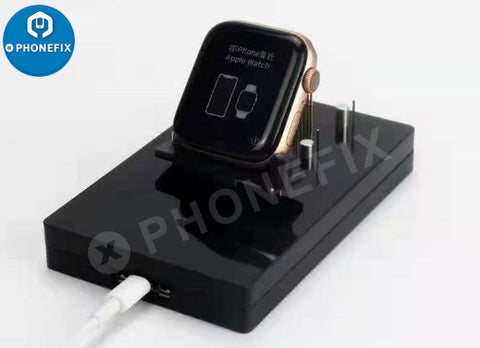
2. From this point, the procedure is just about opening iTunes and restoring the software in question as you would do with an IOS device.
If you did not get how this whole thing works, you can watch our video about how to restore & unlock apple watch S 1, 2, 3, 4, 5, and 6, 42/38mm using Apple Watch Restore Tool 6 IN 1 iBus tools here: https://www.youtube.com/watch?v=qB4AUOiWy
Alternatively, you can start the erase and restore process on your Apple Watch by connecting the device to its charger and following these steps.
What to Do if You Forget Your Password?
Alternatively, you can start the erase and restore process on your Apple Watch by connecting the device to its charger and following these steps.
Note that this will wipe out all of your previous data and records, including any phone books and chats you've recorded. Using AWRT iBus tool can save the original data.
1. Press and hold the side button until you see the Power Off on the Apple Watch screen. Hard press the Power Off slider and then let go.
2. Tap Erase all content and settings.
3. You'll be asked to set up your Apple Watch again when the process ends. When you do, be sure to restore from a backup.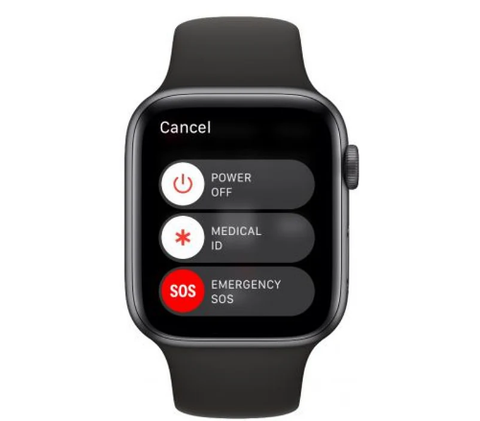
If you forget your Apple Watch passcode, you need to erase the device and then restore from a backup. You can perform this action by launching the Watch app on your paired iPhone: Tap General -> Reset, then select Erase Apple Watch Content and Settings.
In summary, among the three ways to unlock an iWatch, only the iBus tool can reserve original data. Needless to say, it can fix Apple Watch's lousy touch, White Apple logos, get stuck on screen, restore, exclamation point, and many other failures, which makes it the best choice for iWatch repair.
Other Apple Watch Restore Tools(iBus)
iBUS Tool For S1 - S5 Tool Apple Watch DFU Recovery Restore Tool For 38mm 42mm Watch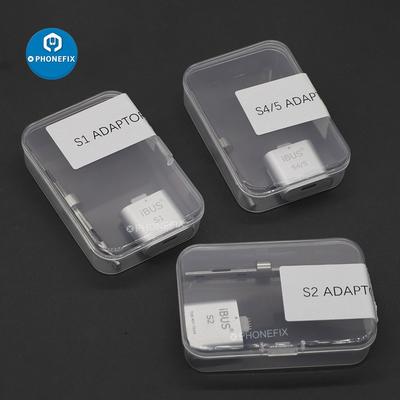
Comments
Post a Comment