
vipfixphone: the guide to fix a dead iphone 6?

when iPhone 6 is dead its not turning on, How To Fix A Dead iPhone 6, here, vipprog will share some Tips and Tricks for Resurrecting dead iPhone, how to resuscitate your iPhone?  these steps to bringing it back to life.


is it really dead about your iphone?
 
That depends on what’s happened, really. If a train has run over it then, yes, it’s probably very, very dead. For everything else, however, there’s often a solution or fix for bringing a dead (or damaged) iPhone back to life


Here’s a selection of things to try when your iPhone won’t turn on

Water Damage: Follow these do’s and don’ts strictly, it will assist you in successfully bringing your dead phone back to work !
http://www.vipprogrammer.com/news/dos-and-donts-for-a-waterlogged-phone-post-446.html
http://www.vipprogrammer.com/news/retrieve-data-from-water-damaged-iphone-post-449.html
http://www.vipprogrammer.com/news/how-to-recover-data-from-a-dead-iphone-motherboard-post-447.html
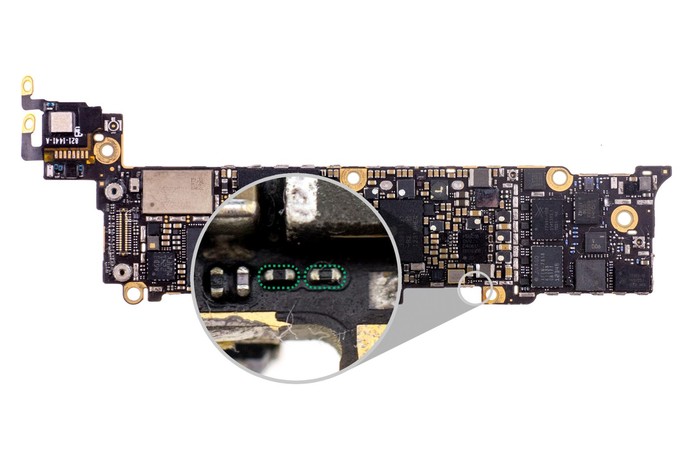
Recharge: change the new battery, or Plug the iPhone into a high-powered USB Charging Cable.

Reboot: you need get the help from the local phone repair store

Reset: Click on Settings > General > Reset All Settings. This will reset all the settings to the factory defaults. None of the data or content on the iPhone will be deleted.

Back up and Restore: 
Before Restore your iPhone, you will need to back up the data. Wait until your iPhone completes the restore process and returns to the Home screen.

To The Apple Store or the phone repair service center: They should be able to give you a proper diagnosis. And if you handset is still in warranty, who knows, you could leave the store with a brand new handset. 

Repair Options

If you’re under warranty and there’s no physical or liquid damage, Apple will probably cover the repair for no charge. If you’re not, Apple can be expensive—but there are good alternatives.

If you want to repair your iPhone today, many phone repair service website will meet you at a location of your choice and fix your iPhone in minutes. If you’re not in one of the cities they service, many O2O iphone mail-in repair service that does great work for a lot less than Apple.

Comments

Popular posts from this blog

Complete Guide to Replacing Your iPhone Battery at Home

  Has your iPhone battery started showing the dreaded signs of age, like frequent charging, rapid draining, or even an untimely shutdown? Are you considering a battery replacement but feeling deterred by the potential cost or hassle of a trip to the Apple Store? Don't worry; with the right guidance, you can replace your iPhone battery at home quickly and safely, sparing your wallet and ensuring a future of longer charge cycles for your beloved device. Whether you have the latest model or an older version, we'll walk you through the process step by step. But before we get into the nitty-gritty, here's why a battery replacement might be in your best interest. Why You Should Replace Your iPhone Battery The lithium-ion batteries in our smartphones are not immortal. They degrade over time due to a variety of factors, such as age, temperature, and the number of charge cycles. Replacing an old battery can provide several benefits: Improved Performance: A new battery can result ...

User Manual: JC V1 Programmer to fix iPhone light sensor/vibrator

As we know, the light sensor and vibrator is very important for iPhone screen. If you want to replace the iPhone screen, you also need to transfer the original screen data to the new iPhone screen(iPhone 8 to iPhone Xs Max),so you can make sure the new iPhone screen will work fine. Here is a  JC V1 programmer  to fix iPhone light sensor and vibrator problem (for iPhone 7- iPhone Xs Max), it also can repair iPhone baseband eeprom IC or iPhone logic eeprom IC problem. The JC V1 Programmer comes with 24-inch HD display screen, three-color LED indicator light, two small connecting seats (for connecting function panel) , two buttons and one function panel (including light sensor/touch connector, baseband function connector, vibration connector) It support 2 languages (Chinese/English) and three lines of code (read/write/burn/save), the function panel can be changed, the software can automatically update What’s the functions? - Repair iPhone Light sensor/ true ...

Here: JC P11 iPhone Nand Test Fixture Specification Details

JC P11 iPhone Nand test fixture is on sale now, some users still confused for it, what's credit points for JC P11? Why it's cheap? As we know, JC P11 BGA110 programmer is the latest programmer for iPhone   iPhone XS Max,XS, X, 8P, 8  and iPhone 11 Pro max/pro/11, which is made by JCID factory.  Here are some  specification details for JC P11 programmer . 1. Main Functions. - Support to modify and write BGA110 NAND SYSCFG data (NAND Flash underlying data, such as SN/BT/WIFI and others); Unbind WIFI. - It doesn't require restoring the firmware for brand-new Nand flash, the SYSCFG data can be written directly. - Repair the Error 35 during firmware restoring for BGA110 NAND - Repair the DATA Error for BGA110 NAND - Support iPhone 8/8P/X/XS/XS Max currently, free software upgrade to support 11-11Pro Max in the future - Initiate the network charging mode, can purchase the points according to the demand, which greatly saves the equipmen...